COMPARISONS
Jun 23/2026

VPS vs Shared Hosting: When to Make the Move

9 min read
Author
CloudStick Team
Backend Developer
Share this article
VPS vs Shared Hosting: When to Make the Move
CloudStick
VPS vs Shared Hosting

What Is Shared Hosting?

Shared hosting puts your website on a server alongside hundreds of other websites. All sites share the same CPU, RAM, and disk I/O. Your site's performance is directly affected by what your server neighbors are doing — a spike in traffic to another site on the same machine will slow your site down. This is called the "noisy neighbor" problem.

Shared hosting costs between $3 and $15 per month and requires no technical knowledge to operate. Providers like Bluehost, SiteGround, and Hostinger manage everything: OS updates, server configuration, PHP versions, and security patches. You get a control panel (usually cPanel), and you upload your files. It is the right choice for a new site with low traffic, a static brochure site, or anyone who has no interest in server administration.

What Is a VPS?

A Virtual Private Server (VPS) gives you a guaranteed slice of a physical server. Using hypervisor technology (KVM on most modern providers), a single physical machine is divided into isolated virtual machines, each with dedicated RAM, vCPU cores, and disk. Your site's performance is not affected by other tenants.

A VPS gives you root access to the operating system. You choose the Linux distribution, install any software, configure Nginx or Apache exactly as your application needs, run any PHP version, and deploy any number of websites on the same server. On DigitalOcean, a 2 vCPU / 2 GB RAM Droplet starts at $18/month. On Hetzner, 2 vCPU / 4 GB RAM costs about $5/month — making VPS hosting significantly more cost-effective than managed alternatives once you have the tooling.

CONTEXT
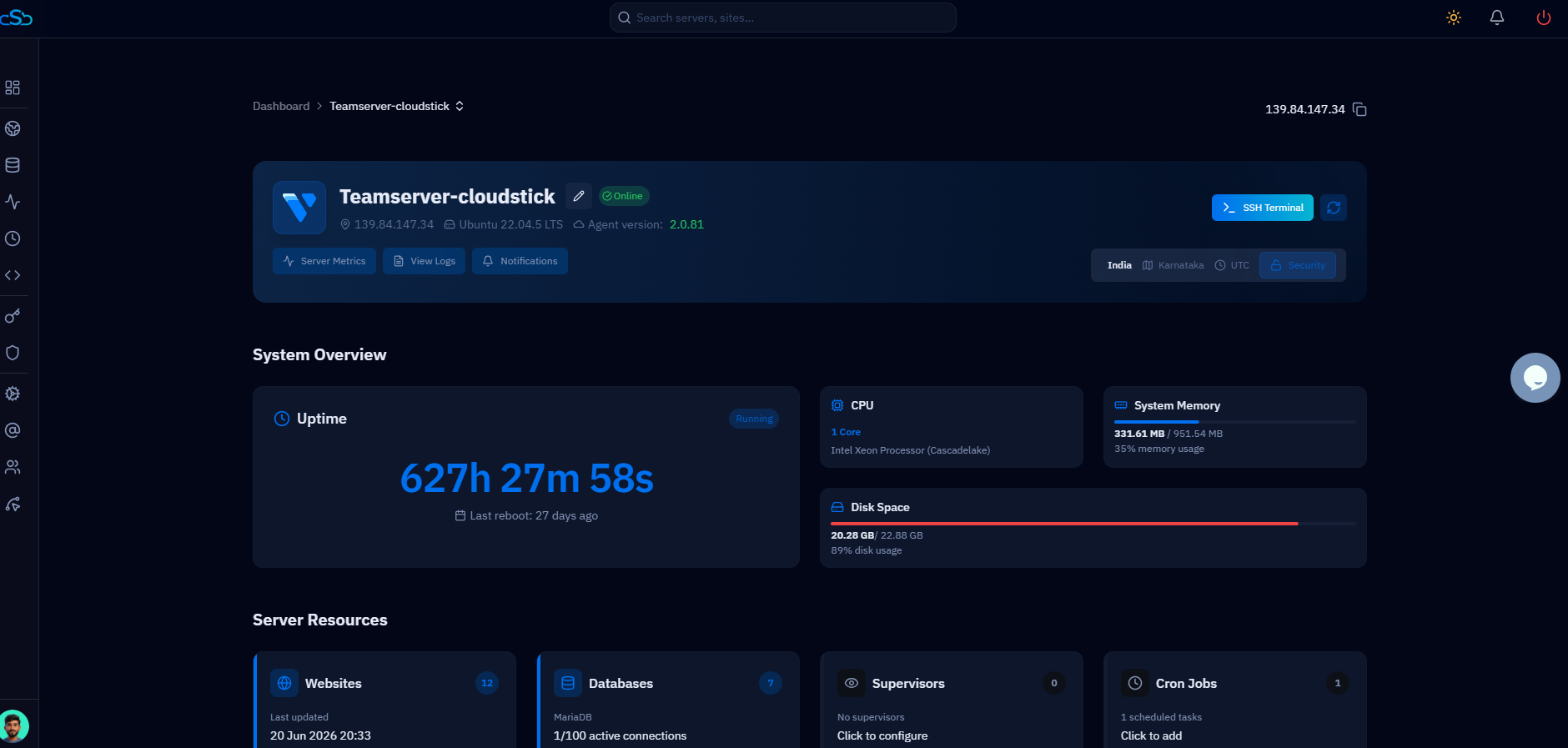
CloudStick is a server control panel for VPS management. It connects to any VPS on AWS, DigitalOcean, Vultr, Hetzner, Linode, or Contabo and gives you a dashboard to deploy websites, manage PHP versions, issue SSL certificates, and handle backups — without writing a single command in the terminal. It starts at $9/month per server with unlimited sites.

Key Differences: Performance, Control, and Cost

The differences between shared hosting and a VPS are not just technical — they affect how your site performs, what you can deploy, and your total cost as you scale.

Performance
Varies — affected by noisy neighbors
Consistent — dedicated resources
Root access
No — managed by host
Yes — full OS control
PHP versions
Limited to host defaults
Any version, multiple per server
Sites per server
1 account, managed by host
Unlimited
Cost
$3–$15/month, all-inclusive
$5–$30/month cloud + $9/month CloudStick
Scalability
Upgrade plans, no granularity
Scale RAM/CPU independently
Custom software
No
Yes — install anything

Signals That You've Outgrown Shared Hosting

Move to a VPS when you encounter any of these conditions — not after they cause downtime:

1
Slow page loads despite small traffic
If your WordPress site loads in more than 2 seconds on a $10/month shared plan, you are hitting CPU throttling from your host. A 2 GB VPS running Nginx + PHP-FPM will serve the same pages 3–5x faster.
2
Exceeding resource limits
Shared hosts enforce CPU and RAM limits per account. If you receive suspension notices or 503 errors during traffic spikes, you have exceeded them.
3
Running multiple sites
Once you manage more than 2–3 sites, the per-account pricing of managed shared hosting becomes more expensive than a single VPS with unlimited sites.
4
Custom software requirements
Node.js, Python, Redis, custom PHP extensions, Elasticsearch — none of these are available on standard shared hosting. A VPS lets you install anything.
5
E-commerce or sensitive data
PCI compliance and security hardening are not possible on shared hosting. A VPS lets you configure your own firewall, disable unused services, and control exactly what software runs.
TIP
Don't wait for an outage to trigger the move. Migrate during low-traffic hours on a weekend. A planned migration with DNS testing takes 2–4 hours. An emergency migration during downtime takes 8–12 hours and costs you SEO ranking.

Shared to VPS Migration Checklist

A migration from shared hosting to a VPS follows a predictable sequence. The goal is zero-downtime: you build the new environment, test it, then switch DNS only when everything is confirmed working.

1. Provision a VPS on your chosen cloud provider
(DigitalOcean, Vultr, Hetzner, AWS Lightsail)
2. Install CloudStick and connect the server
(auto-installs Nginx, PHP, MySQL via CloudStick)
3. Export your database from shared hosting
mysqldump -u user -p database_name > export.sql
4. Copy your website files to the new server
rsync -avz ./public_html/ user@newserver:/var/www/html/
5. Import database to MySQL on the new server
mysql -u user -p database_name < export.sql
6. Test with /etc/hosts before changing DNS
Add: [new-server-ip] yourdomain.com to /etc/hosts
7. Issue SSL certificate (free via Let's Encrypt)
CloudStick issues SSL in one click from the dashboard
8. Update DNS A record to new server IP
Wait 24-48 hours for full propagation
9. Keep shared hosting active for 1 week post-migration
Rollback is trivial during DNS propagation window

"The biggest risk in a migration is rushing the DNS switch. Build, test, confirm — then cut DNS. Keep shared hosting active for a week as your fallback. The cost of one extra week of shared hosting is always less than a failed migration."

VPS Made Simple with CloudStick

The barrier that keeps developers on shared hosting is not cost — it is the complexity of managing a Linux server. Configuring Nginx, PHP-FPM, MySQL, Let's Encrypt, cron jobs, and backups from scratch takes hours. And unlike shared hosting, if you misconfigure something, there is no support team to fix it.

CloudStick eliminates this barrier. Connect your VPS — from DigitalOcean, Vultr, Hetzner, AWS, Linode, or Contabo — and CloudStick installs a production-ready LEMP stack in under 3 minutes. Deploy a WordPress site, issue a free SSL certificate, configure PHP 8.3-FPM, and set up automated daily backups, all from a web dashboard without touching the terminal.

Unlike Cloudways or Kinsta managed hosting, CloudStick charges a flat $9/month per server — not per site, not as a markup on compute. You pay your cloud provider directly for the VPS, and you pay CloudStick $9/month for the management layer. If you cancel CloudStick, your sites keep running — nothing depends on it staying active. That is the key difference from managed hosting platforms: your infrastructure stays yours.

Leave a comment
Full Name
Email Address
Message
On this page

We use cookies to improve your experience

CloudStick uses cookies to personalise content, analyse traffic and keep you signed in. Cookie Policy · Terms of Service

Manage cookies